Review: Logitech MX Ergo S
Oct 6, 2025 - ⧖ 2 min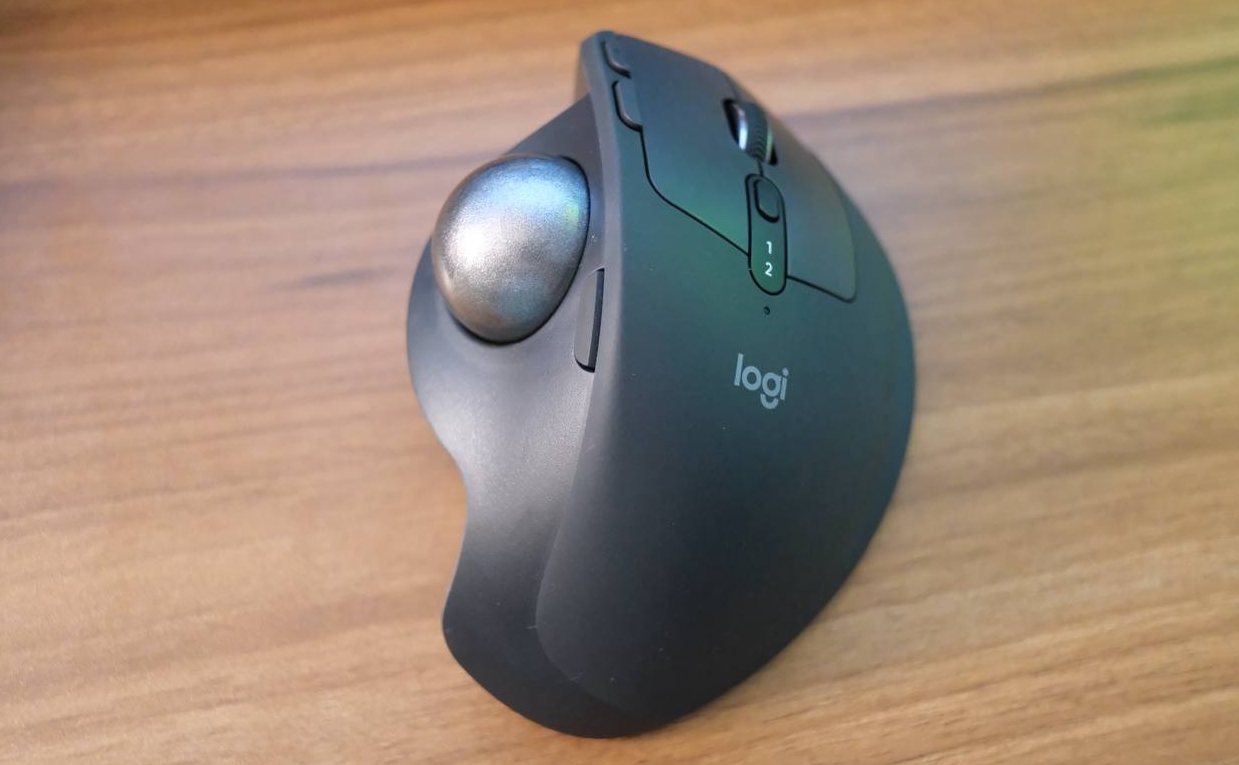
I've used the Logitech MX Vertical ergonomic mouse for a few years now. I still enjoy it, but I've been experiencing a bit of discomfort after long periods of use, so I've been looking at other options. I really can't use standard mice because they're too small, leading to hand cramps. The larger size of the Vertical helped with that, I think moreso than the actual vertical part.
I saw this mouse while perusing pc peripherals in Yodobashi Camera, so I figured "why not"? It's tax free, anyhow.
Initial Thoughts
I mean, it's a trackball. These will feel alien at first if you're used to regular mice. I'm already a bit accustomed to them from working in the recording studio at the University of South Carolina.1
What I like: it looks great and it feels sturdy. It comes with a magnetic plate on the bottom and an indentation to tilt the mouse. It's not vertical, but is a nice angle that matches the natural sitting position of my wrists.
However, I'm not sure if doing all mouse movements with my thumb is the answer I need for ergonomics. I've used it for about 3 days now and my thumb feels fine, so we'll have to see. I do like that it leaves my index and middle finger free for clicking.
This style of mouse is harder to be precise with, so I would not use it for games that you need pinpoint accuracy in, like FPS games. Whenever I play TF2 or PUBG I just use a regular mouse.
Info
I purchased this for JPY ¥19,580 (USD $132.87), at Yodobashi Camera Akiba in Akihabara, Tokyo, on 2025-10-01. Here is the product link.
-
Space is at premium on consoles and mixing boards. Ergonomics aside, a nice benefit of trackballs is there's no need to move the actual mouse. At least for the studios I got to visit, I saw that they were using trackball mice, although of the finger-style variety. ↩